
OVERCHESS System Requirements
Official Steam minimum and recommended PC specs — Windows only, DirectX 12.
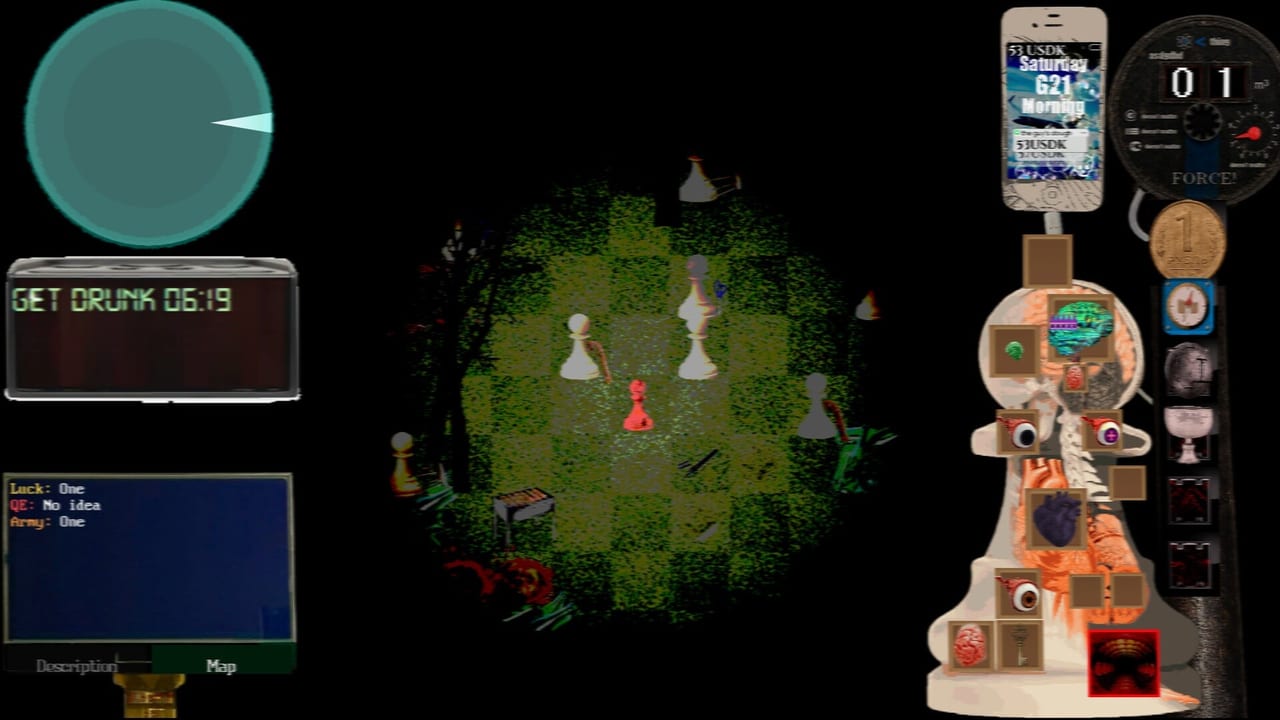
Before you download the OVERCHESS demo (Steam app 5606670) or wishlist the full game (4615580), match your PC to the official Steam system requirements. This page restates those numbers for quick English reference, explains what they imply for a 2026 indie strategy/adventure build, and links you into play guides once hardware is cleared. Specs can change if ktotakops edits the store — when that happens, prefer Steam’s live block and then update this wiki source JSON.
OVERCHESS is positioned as Windows-only on Steam in the materials we track. There is no official macOS or Linux requirement table to quote here. Steam Deck status should be checked on Steam’s own Deck section rather than assumed from these desktop GPU names.
Official minimum requirements
| Component | Minimum (Steam) |
|---|---|
| OS | Windows 10 (64-bit processor and OS required) |
| CPU | Intel Core i3-2100 / AMD FX-4300 |
| RAM | 4000 MB |
| GPU | NVIDIA GeForce GT 630 / Intel HD Graphics 4000 |
| DirectX | Version 12 |
| Storage | 2000 MB available space |
These are entry-level by 2026 standards on paper, but DirectX 12 still matters: very old feature-level GPUs that cannot expose DX12 correctly may fail even if the marketing name looks similar. Integrated HD 4000-class hardware can run light titles, yet pocket-dimension effects, crowds of army pieces, or higher internal resolutions may stutter. If you sit exactly on 4 GB RAM, close browsers and overlays before blaming the game.
Official recommended requirements
| Component | Recommended (Steam) |
|---|---|
| OS | Windows 11 (64-bit processor and OS required) |
| RAM | 8000 MB |
| GPU | NVIDIA GeForce GTX 750 Ti / AMD Radeon R7 260X |
| DirectX | Version 12 |
| Storage | 2000 MB available space |
Steam’s recommended block emphasizes more RAM and a stronger (still older) discrete GPU while keeping the 2 GB storage line. CPU is not re-listed as a separate recommended SKU in the store text we mirror — if your CPU clears the minimum and you meet recommended RAM/GPU, you are in the intended comfort band. Windows 11 is the target OS string; Windows 10 remains the documented minimum.
How to read these specs for OVERCHESS
Storage is small — plan for Steam overhead
2000 MB is the game content line, not a promise that your Steam library folder only grows by 2 GB. Reserve extra space for shader caches, workshop-unrelated temp files, and Windows updates. SSDs help stutter less than aging HDDs when streaming open-looking boards.
RAM headroom beats theoretical GPU nostalgia
4 GB minimum is historically tight once Chrome, Discord, and Steam are open. The 8 GB recommended line is the practical target for demo sessions where you also keep Official Links Discord open for troubleshooting.
GT 630 / HD 4000 vs GTX 750 Ti / R7 260X
The minimum names signal “very modest discrete or older iGPU.” The recommended names are mid-2010s low-mid discrete cards. If you own much newer hardware, you still want correct DX12 drivers — especially after clean Windows installs. If you own older than minimum, do not expect community mods to invent support.
Pre-install checklist
- Confirm 64-bit Windows 10 or 11.
- Update GPU drivers from NVIDIA / AMD / OEM Intel paths — not random “driver booster” sites.
- In Windows, verify you are not on an unsupported DirectX legacy-only stack.
- Free >2 GB plus download buffer on the Steam library drive.
- Install the demo from Steam’s official button; avoid third-party mirrors.
- After install, follow the Demo Guide and Getting Started instead of maxing every setting blindly.
Demo vs full game
Requirements published on the main app page are the reference this wiki quotes. Demo builds usually track the same floor, but if Steam shows a divergent demo block, trust the store. Full game 2026 may raise recommended lines later — watch Updates and News & Timeline.
Performance expectations (honest pre-release)
We do not publish fake FPS charts. Until widespread demo benchmarks exist:
- Expect playable, not showcase ray-traced glory, on minimum GPUs.
- Prefer 1080p and default presets on recommended-class cards before experimenting.
- If the demo offers scalability options, change one setting at a time and note army size on screen — more pieces may cost more than empty boards.
Troubleshooting quick hits
- Won’t launch: verify DX12-capable GPU/driver, run Steam’s verify integrity, confirm Windows is not missing runtime packs Steam redistributes.
- Out of memory hitching: move to 8 GB behavior — close background apps; 4 GB machines should avoid huge browser sessions.
- Stutter on HDD: move library to SSD if possible.
- Laptop iGPU only: meet HD 4000-class or better; plug in AC power and set High Performance where applicable.
Related pages
- Parent hub: Tools
- Play next: Demo Guide, Getting Started, How to Play
- Army planning: Build Your Army, Piece Tier List
- Store and socials: Official Links
Clear the hardware gate, then go enjoy excessive multidimensional chess — ideally without your RAM becoming the final boss.
Frequently Asked Questions
Quick answers about OVERCHESS, the demo, and this wiki.
Can I run OVERCHESS on Windows 10?
Yes — Windows 10 is the official minimum OS. Windows 11 is listed on the recommended configuration.
Is OVERCHESS available on Mac or Linux?
Public Steam requirements quoted here are Windows-only. Check the live Steam page for any future platform badges; this wiki will not invent them.
Is 4 GB of RAM enough?
It matches the official minimum, but 8 GB is recommended. On 4 GB systems, close browsers and overlays before launching the demo.
Do I need DirectX 12?
Yes. Both minimum and recommended Steam blocks list DirectX version 12.
Where do I go after confirming my PC is fine?
Install from Steam, then read the Demo Guide and Getting Started pages under Guides for first-session goals.